
Quick Start
Saving posts from X
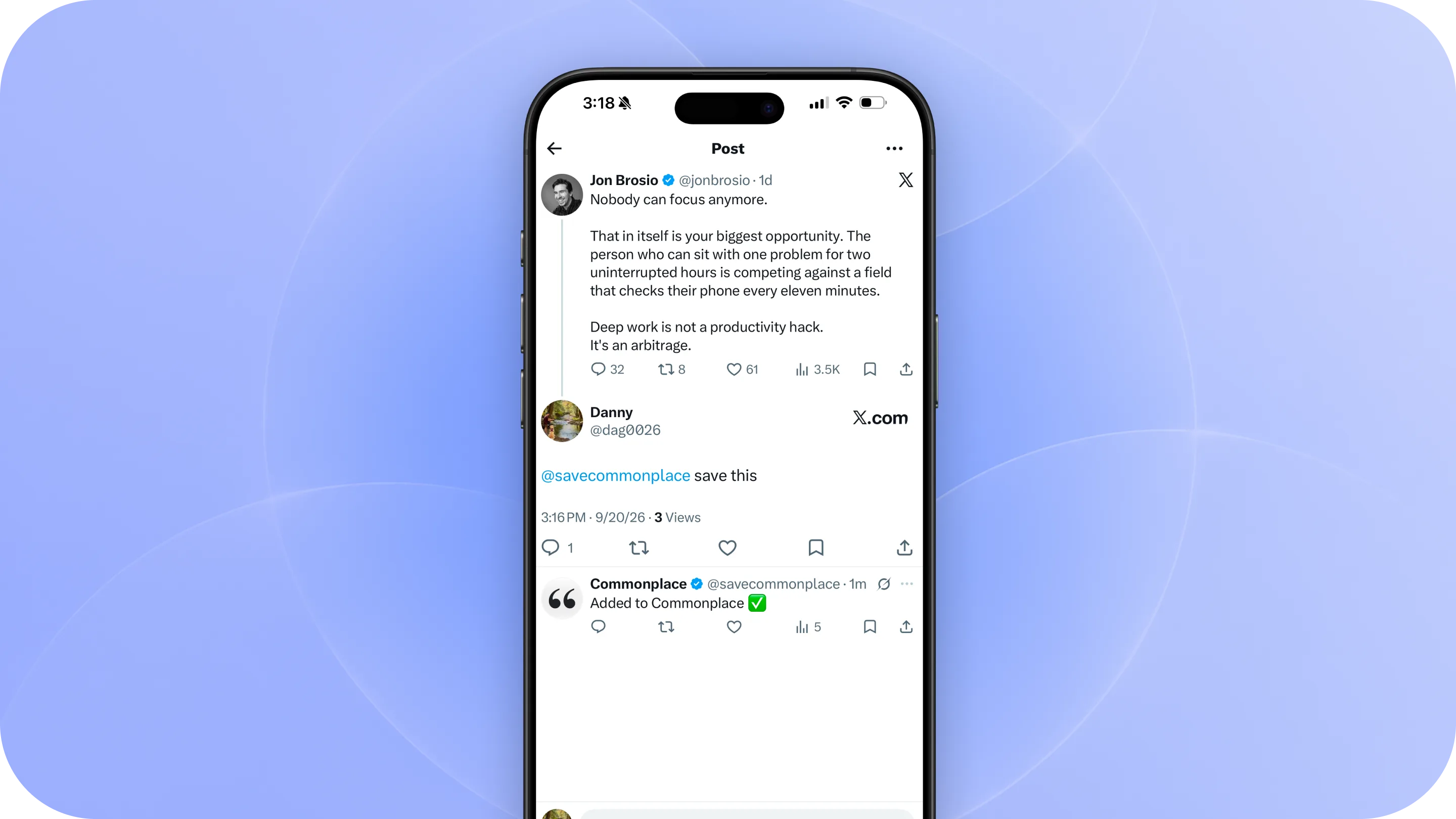
Commonplace makes it easy to save interesting posts from X so you can come back to them later without losing the original context. There are a few ways to save a post:
1. Reply with @savecommonplace
The fastest way to save a post while you’re already browsing X is to reply directly to it.
Connect your X account to Commonplace, then reply:
@savecommonplace save this
Commonplace will save the post to your library and reply to confirm once it’s been added.
You can use this on any public post you want to remember, without leaving X.
2. Share a post to Commonplace
You can also save posts directly from the X Share Sheet:
- Tap the Share icon on a post, then choose Commonplace.
- The post will be added to your library along with its author, original text, and link back to X.
If you don’t see Commonplace right away, scroll through your apps and tap More. You can also add Commonplace to your favorites to keep it near the front of your Share Sheet.

3. Paste an X link
If you already have a link to an X post, you can save it from inside Commonplace.
Copy the post link, open Commonplace, tap + and Add Source, then choose X and paste the URL.
Commonplace will fetch the post and add it to your library.
Connecting your X account
Connecting your X account enables reply-based saving.
When your account is connected, Commonplace can recognize when you reply @savecommonplace save this and add that post to your library.
You can connect your account from the X section in Commonplace or whenever you see the option to Connect X Account.